PrecureCRM (HMS)
Advanced Hospital Management System with unique features that solve complex operational problems
Smart AI Analysis for Better Care
PrecurePlus scans medical reports instantly to detect anomalies, predict potential risks, and assist doctors in making faster, accurate diagnoses.
Instant Report Scanning
Upload any lab report (PDF/Image) and our OCR + AI engine extracts key vitals and highlights abnormal values instantly.
Predictive Disease Analysis
Based on historical data and current vitals, the AI predicts potential risks like Diabetes, Hypertension, or Cardiac issues.
Automated Triage
Automatically categorizes patients based on risk severity (Critical, Moderate, Normal) for optimized OPD flow.
Lab Report #8821
Patient: John Doe
Heart Rate
72 bpm
Glucose (F)
142 mg/dL
SpO2
98%
BP
120/80
AI Findings:
🚀 Advanced Features (USPs)
High-value features that solve complex hospital operational problems
Credit-Based Appointment System
- • Wallet Integration: 1 credit per appointment
- • Auto-Revisit Detection by phone number
- • Historical UHID syncing
Smart OPD Workflow
- • Automated Token System
- • Instant Clinical Invoicing
- • Medical Record Continuity
Smart IPD & Bed Management
- • Live bed availability tracking
- • One-click Bed Shifting
- • OPD-to-IPD admission system
Integrated Pharmacy
- • Live Inventory Tracking
- • Batch No & Expiry alerts
- • Digital Prescription Dispensing
Smart Pathology & Lab
- • Automated Lab Billing
- • Trend Analysis
- • Previous Report Values tracking
Advanced Blood Bank
- • Real-time Stock Monitor
- • Component-Level Tracking
- • Emergency Fleet Management
Comprehensive Auxiliary Ecosystem
- • Birth & Death Registries
- • TPA & Insurance Management
- • Telemedicine Ready
Patient Billing History
- • Longitudinal Financial Records
- • Status Tracking (Partial/Unpaid)
- • Clinical-Financial Sync
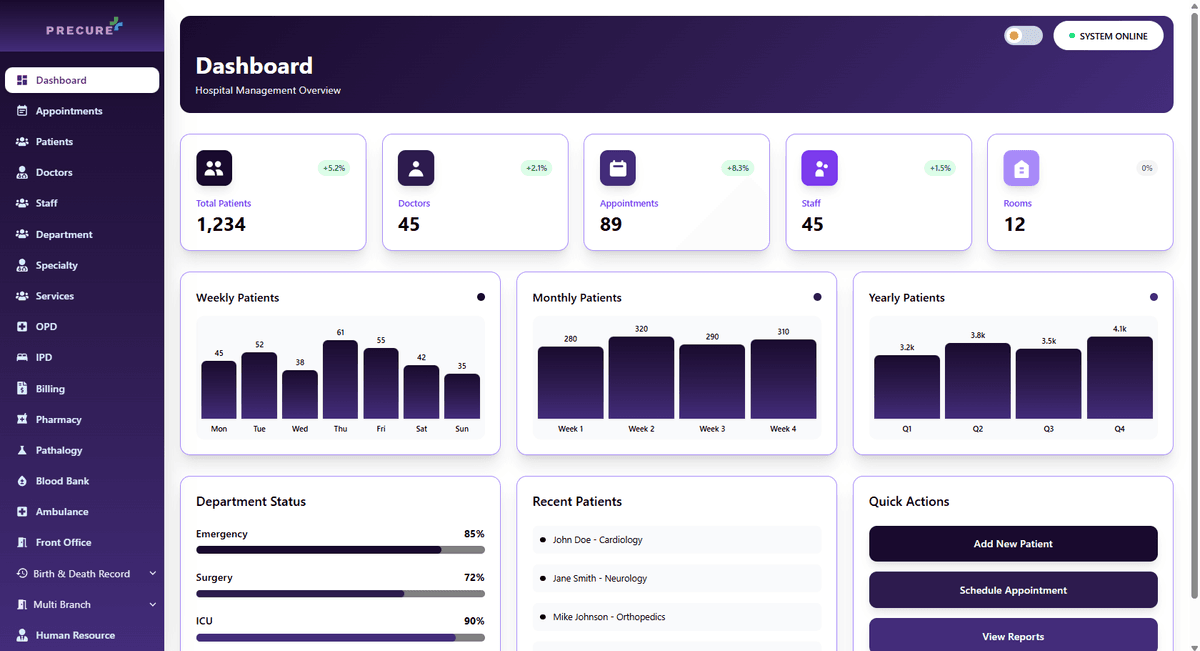
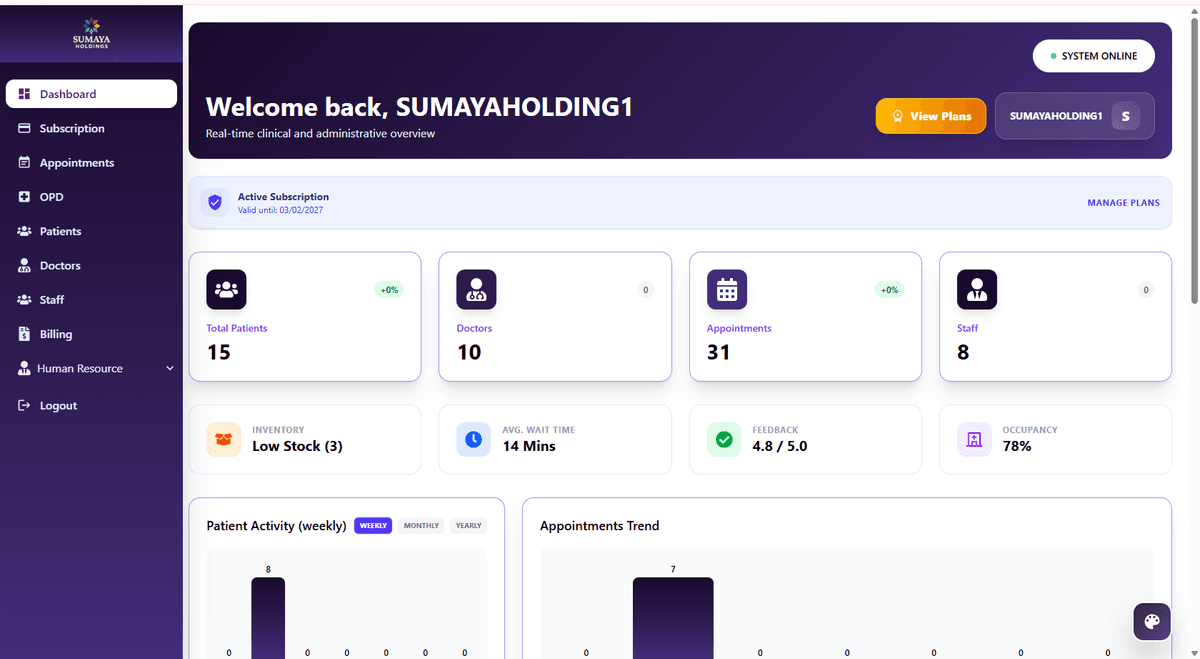
Profile & Plan Management
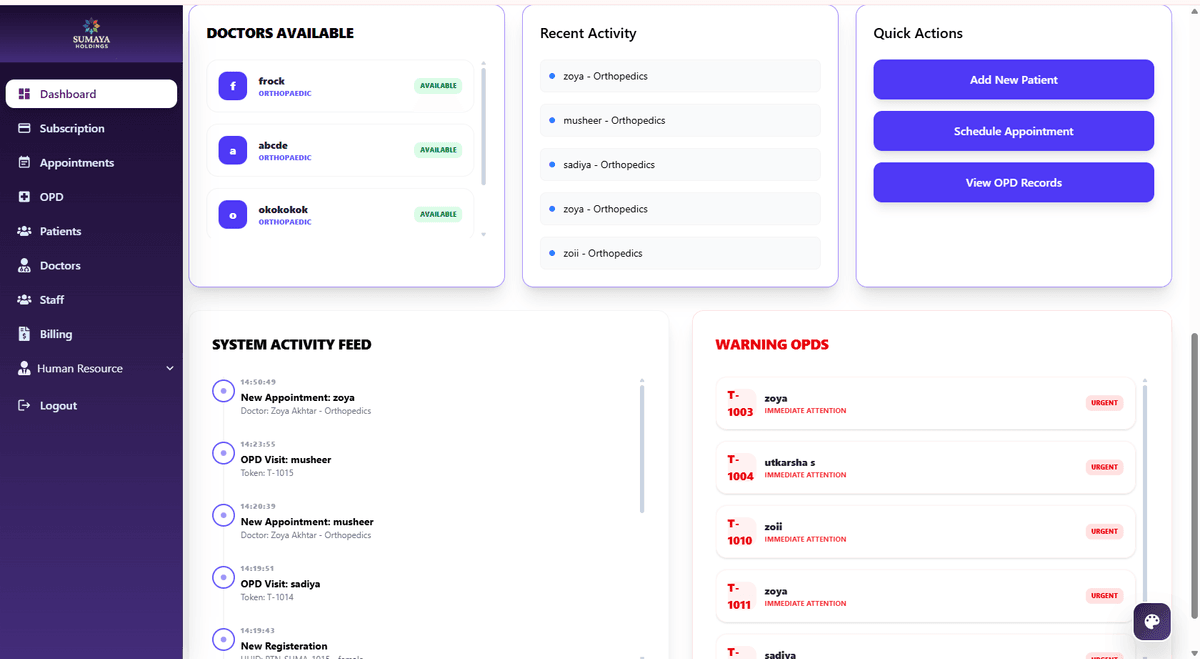
Advanced HMS Features
Perfect for Every Healthcare Setting
Tailored solutions for different hospital types
Small Clinics
- • Digital Prescriptions
- • Patient UHID System
- • Paperless Transition
Multi-Specialty Hospitals
- • Auto-Billing Ledger
- • Bed Management
- • Operational Efficiency
SaaS Resellers
- • Wallet/Subscription Credits
- • Module Customization
- • Business Scalability
Revenue Model
Simple and transparent pricing structure
Monthly Subscription
Unlock all HMS features and modules
Per Patient Fee
Pay only when patients book appointments
Why This Model Works
- Low upfront cost - just ₹250 to get started
- Scales with your business - pay per patient
- Perfect for small clinics and large hospitals
- No hidden fees or surprise charges
Core HMS - ₹250/month
Complete hospital management with all essential modules
Appointment Management
Schedule and manage patient appointments
OPD Management
Outpatient department operations
Patient Management
Complete patient records and history
Staff Management
Manage hospital staff and roles
Doctor Management
Doctor profiles and schedules
Billing System
Complete billing and invoicing
💡 All modules included in Core HMS at just ₹250/month + ₹1 per patient appointment
Latest HMS Modules
New and recent subscription modules available
CORE HMS
/month
Essential hospital management modules
📊 Included Modules:
- Appointment Management
- OPD Management
- Patient Records
- Staff Management
ENTERPRISE
/month
Full-scale hospital management solution
📊 Included Modules:
- IPD & Bed Management
- Pharmacy Integration
- Lab & Pathology
- Blood Bank
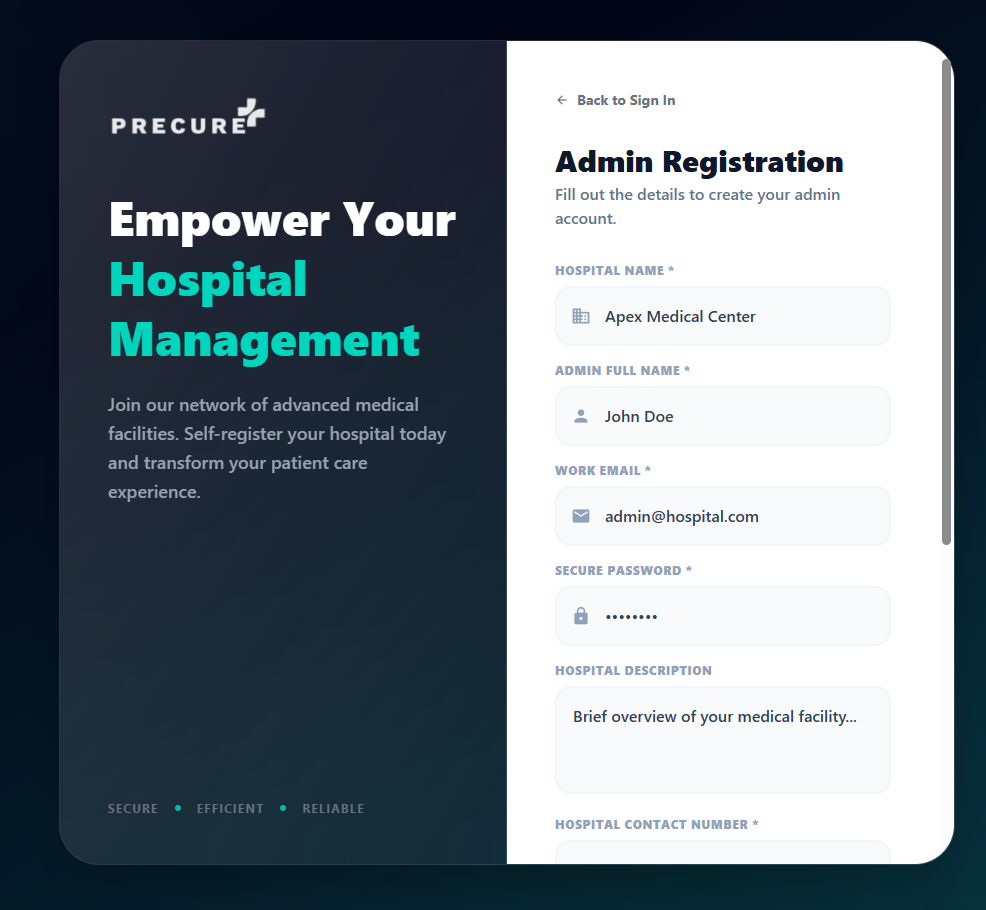
Hospital Registration
To get started with PrecurePlus HMS, hospitals need to complete a simple registration process. First, click on the "Register as Hospital Admin" button shown in the first image. This will open the registration form displayed in the second image where you'll need to provide essential hospital information including hospital name, contact details, address, and administrative credentials.
Registration Steps:
- Click on "Register as Hospital Admin" button to register as hospital admin
- Fill out the registration form with hospital details including name, address, contact information, and admin credentials
- Submit the form to complete registration and receive confirmation email
- Verify your email address to activate your hospital admin account
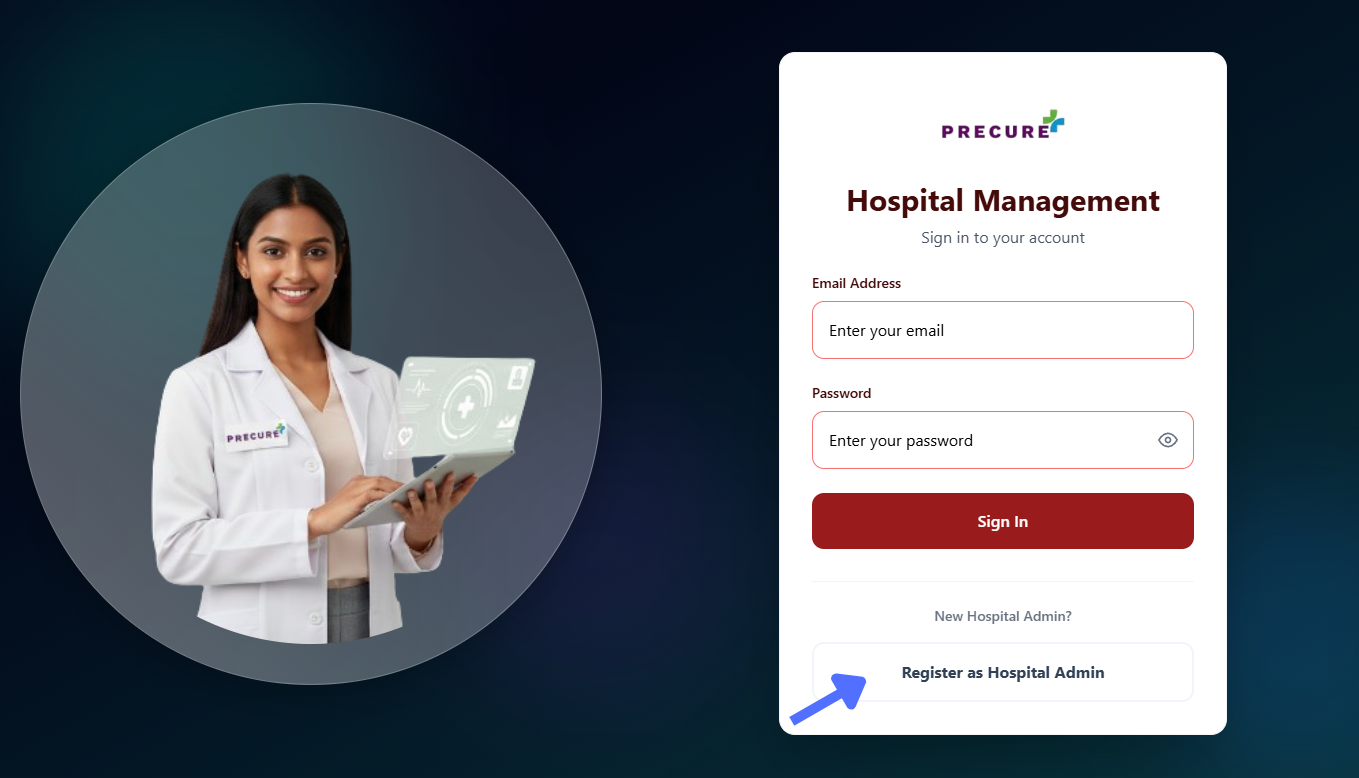
Login to Dashboard
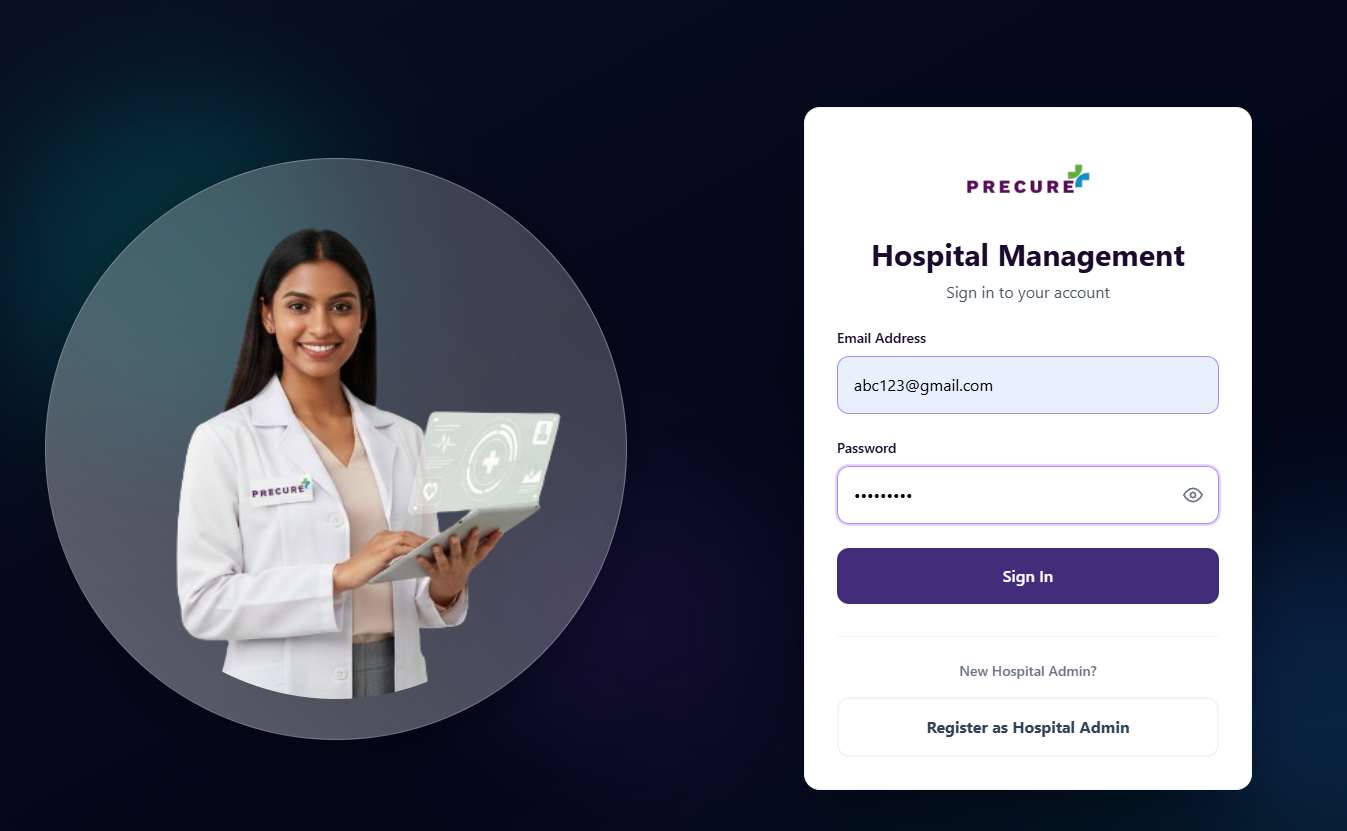
Next is the login page according to the hospital email and password which was used in the registration. Use this in the login to access the dashboard page.
Login Process:
- Enter the hospital email used during registration
- Enter the password created during registration
- Click login to access the dashboard
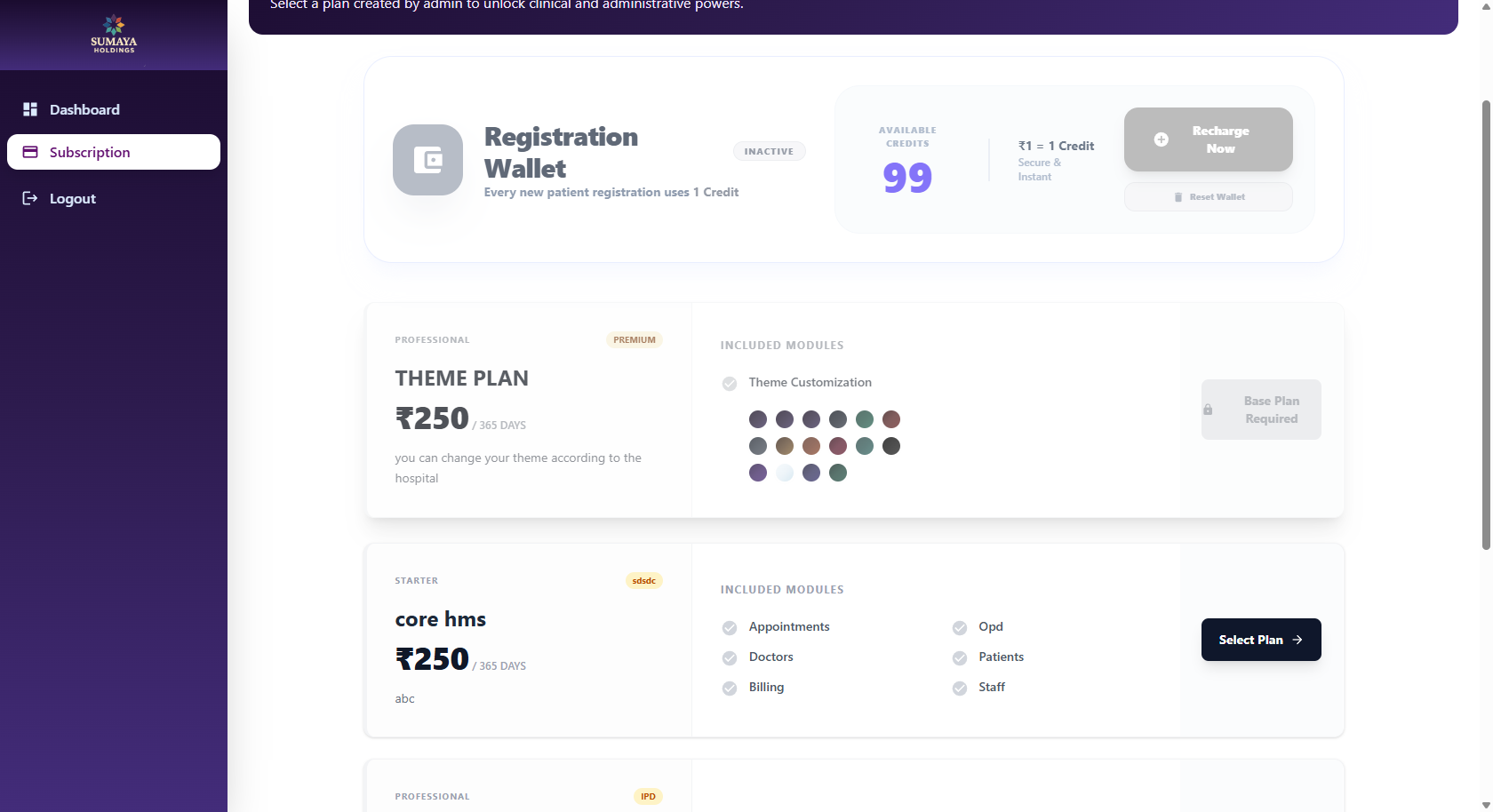
Subscription Page
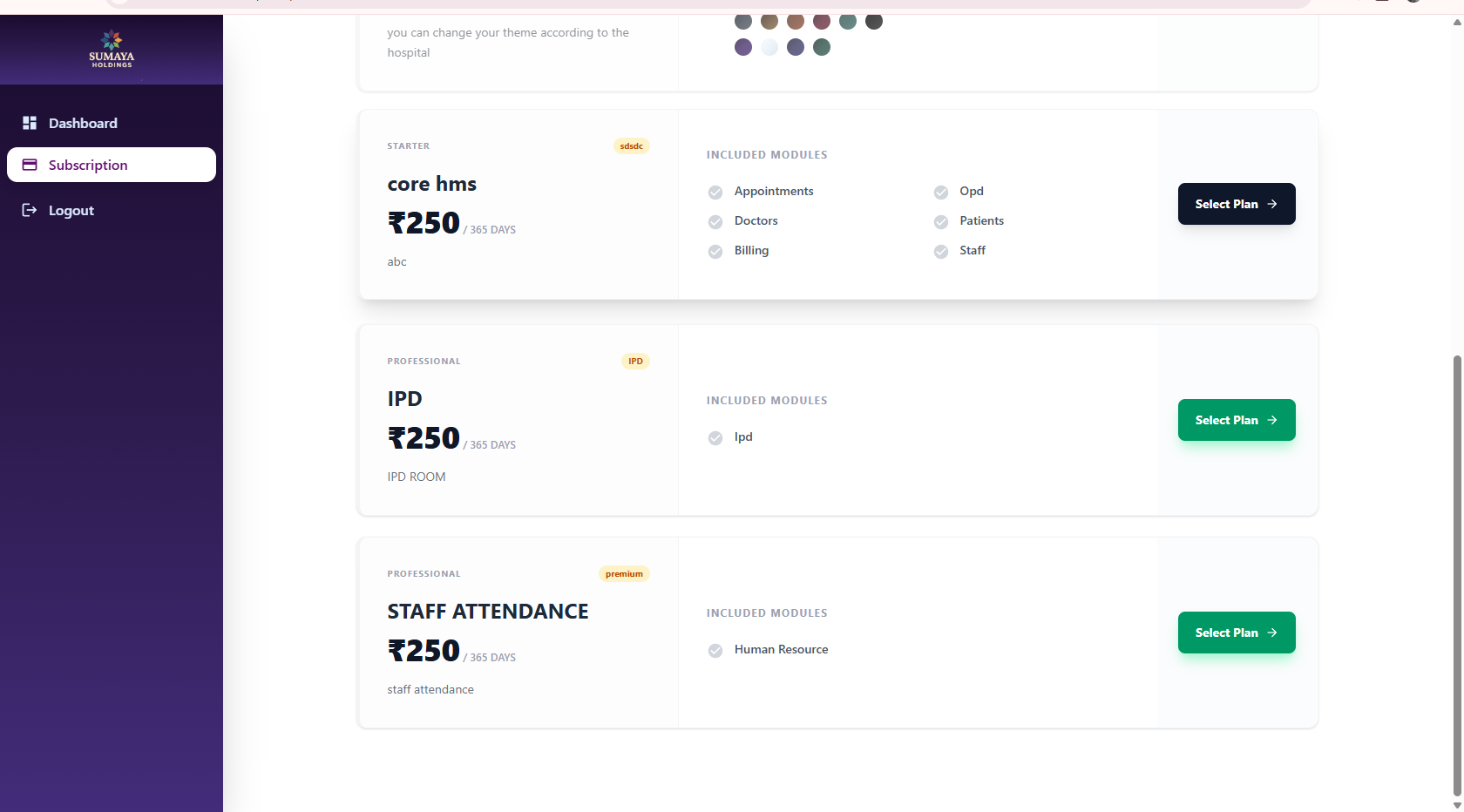
After logging into the dashboard, hospitals need to activate their subscription to start using the HMS system. The subscription model is designed to be affordable and scalable for hospitals of all sizes.
Subscription Model:
- Monthly subscription: ₹250 only for full HMS access
- First plan available: CORE HMS with all essential modules
- Credit system: ₹1 = 1 Credit = 1 Patient appointment
- Pay only when patients book appointments - no hidden charges
💡 How Credits Work: Each patient appointment consumes 1 credit (₹1). Credits are automatically deducted from your wallet when appointments are booked. Top up your wallet anytime to ensure uninterrupted service.
Start Your Hospital Business
HMS SaaS Solution
Launch your own digital healthcare business with our white-label ready HMS platform.
Start your HOSPITAL MANAGEMENTTake your healthcare business to the next level with our complete SaaS ecosystem. Whether you are a reseller or a large hospital group, our platform provides the scalability and customization you need.
SaaS Benefits:
- Wallet & Subscription Credits:
Manage credits and sub-accounts efficiently with our integrated wallet system.
- Module Customization:
Enable or disable specific features based on your clients' requirements.
- Business Scalability:
Easily scale your operations from a single clinic to a global network of hospitals.